Concepts
The parts of Kode and how they connect, from workspaces and desks to pipelines, volumes, and secrets.
Last updated
On this page
Overview
Kode has a small set of parts. This page names each part and shows how it connects to the others. Each part has its own section with the full detail.
Workspace and capsule
A workspace and a capsule are both sandboxes. A workspace is an isolated machine with its own home. It is kept while it is stopped. A capsule is a disposable container for one command or one shell. It is deleted when it exits.
For the comparison of the two, see Workspace and capsule.
Desks and environments
An environment is a set of services that your application uses. A desk groups your workspaces and capsules and connects them to one environment. A desk can hold many workspaces and capsules.
Many desks can connect to one shared environment. Your teammates use their own desks on the same environment. Each person keeps their own workspaces, and all of them reach the same services by name.
The diagram of a desk is on the Desks page.
Intercept
An intercept sends the traffic of one service to a workspace in your desk. The code that you edit in the workspace answers real requests. Callers keep the same name and port as before.
When the workspace stops, the traffic returns to the service. See Intercepts.
Pipelines
A pipeline automates work that runs without a person at a terminal. A trigger starts a run. Each job of the run runs in its own capsule. The run ends with a result.
The diagram of a run is on the Pipelines page.
Volumes and snapshots
A snapshot saves the disk of a resource at one moment. A volume keeps the saved versions under one name. Some resources save to a volume, and some can start from a snapshot.
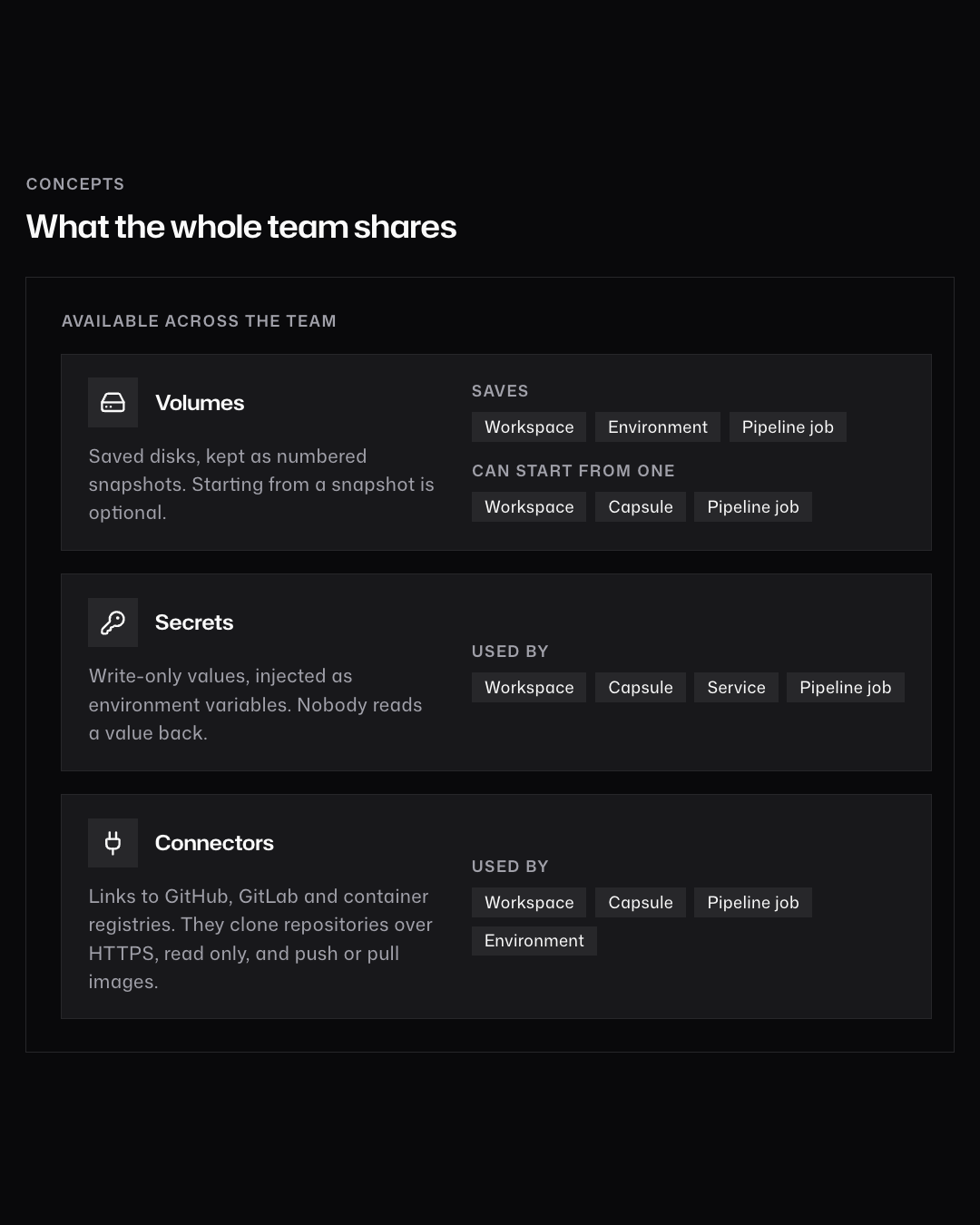
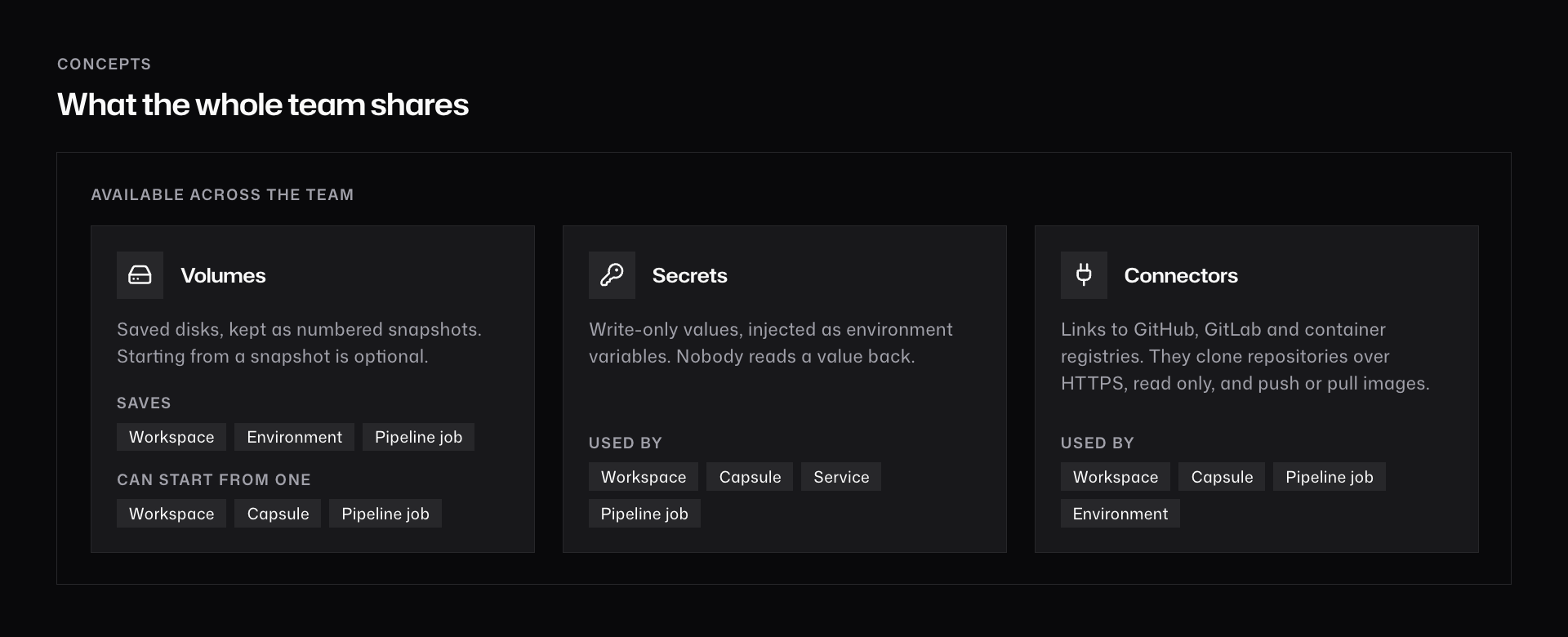
| Resource | Saves to a volume | Starts from a snapshot |
|---|---|---|
| Workspace | Yes | Yes |
| Environment | Yes | No |
| Capsule | No | Yes |
| Pipeline job | Yes | Yes |
Starting from a snapshot is optional. Without one, the resource starts empty or from its image. See Volumes.
Secrets and connectors
A secret is a value that a resource reads as an environment variable. A connector links Kode to a git host or a registry. It gives read-only git clone over HTTPS and registry push and pull.
| Part | Used by |
|---|---|
| Secrets | Workspaces, capsules, services, and pipeline jobs |
| Connectors | Workspaces, capsules, pipeline jobs, and environments |
Secrets and connectors belong to the team. A value is never read back after you save it.